What players say
Image to Word Match offers a clean, distraction-free experience. The two modes provide good replay value: Easy mode for casual learning and Normal mode with lives for a light challenge. The bright visuals and positive feedback keep the mood upbeat. It is a solid choice for building vocabulary in a fun way, suitable for family time or solo play. No ads or in-app purchases add to its appeal.
About this game
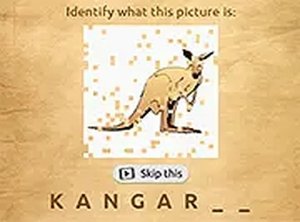
Image to Word Match Puzzle Game offers a delightful way to connect images with their correct words. Designed for players of all ages, this browser-based game combines learning with fun. Bright visuals and simple drag-and-drop controls make it accessible for children and adults alike. You can choose between Easy mode for relaxed play or Normal mode for a gentle challenge with three lives. The game runs smoothly on both desktop and mobile devices, requiring no downloads. It is perfect for family game time, classroom activities, or a quick mental break.
How to play: Click on a picture with your mouse or finger, then drag it over the matching word. A correct match shows a cheerful Well done message. An incorrect match displays an error, allowing you to try again. Easy mode lets you play without pressure, ideal for young learners. Normal mode adds three lives for a bit of challenge. The intuitive controls work on touchscreens, so you can play anywhere.
Game features: Family-friendly and educational content suitable for all ages. Two game modes: Easy for stress-free play and Normal with three lives. Bright, friendly visuals keep the mood light. Drag-and-drop mechanics are easy to learn. Fully playable on desktop and mobile browsers with no downloads. Helps build vocabulary and observation skills.
Why you will like it: Image to Word Match combines learning with relaxing gameplay. It is simple enough for kids but engaging for adults. The two modes let you choose your pace, making it a versatile choice for short breaks or longer play sessions.
Compatibility
This H5 game runs smoothly on: • Desktop computers (Windows / Mac) • Mobile phones (iPhone / Android) • Tablets (iPad / Android) 🌐 Best experienced with Chrome, Safari, or Edge