
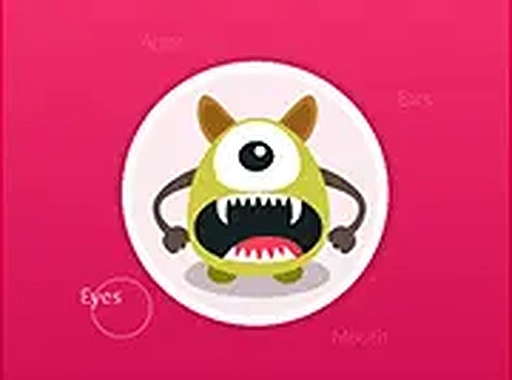
Whimsical Creature Creator
Reviews
Whimsical Creature Creator succeeds as a casual design experience because it removes everything that usually creates pressure: no scores, no timers, no failure states. The library of heads, bodies, limbs, eyes, and accessories supports free experimentation, and the consistent art style keeps even odd combinations looking intentional. Browser-based access with touch and mouse support makes it easy to pick up on almost any device. The main limitation is the lack of structured goals, which may leave players who prefer objectives looking for more.
About this game
A Blank Canvas for Character Design
Whimsical Creature Creator hands you a library of parts and asks nothing more than that you combine them. Heads, bodies, limbs, eyes, and decorative extras are all available as separate categories. You pick one from each, adjust as you go, and the system responds immediately. Nothing is locked, nothing is scored, and there is no way to fail. The point is the act of making something, not reaching a target.
How Mixing and Matching Works
Each category offers multiple options, and the exact number varies. Facial features are expressive, body types range beyond the standard, and accessories include wings, tails, and headgear. Because every part shares the same bright, playful art direction, even a creature assembled from wildly different pieces tends to look cohesive. That consistency lowers the risk of an aesthetic clash, which matters when the goal is spontaneous experimentation rather than careful planning.
Built for Browsers and Touchscreens
The tool runs directly in modern browsers on smartphones, tablets, and computers. There is no installation and no account registration. The lightweight code loads quickly even on slower connections. Touch controls are optimized for mobile, with large buttons and drag-friendly interfaces, while desktop users can work with a mouse or trackpad. The interface is responsive enough for quick adjustments and on-the-fly combinations.
Saving and Sharing Creations
Once a design is complete, you can save it as an image file, typically with a single button press. Some implementations may include sharing features that let you send creations to friends or post them on social platforms. That opens the door to comparing designs with family members or building themed character sets together. The save process is deliberately simple, so it does not interrupt the creative flow.
An Open-Ended Engagement Model
With no timers, scores, or levels, there is no urgency pushing you forward. You can spend as much or as little time as you like on each creature. This makes the tool appropriate for short breaks or extended sessions. The open-ended structure also supports repeated use: each session can produce completely different results depending on which parts you choose.
Compatibility
FAQ
Comments
Sign in to leave a review
No comments yet.





Editorial Notes