
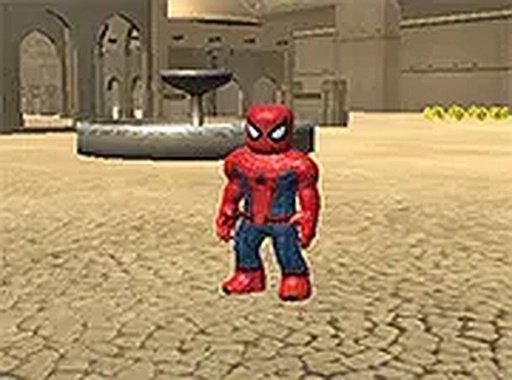
Coin Collector Speed Runner
Reviews
Coin Collector Speed Runner succeeds by making every coin count. The upgrade choices between speed and jump power create genuine strategic depth without overcomplicating things. The web-swinging ability is a highlight, offering creative ways to navigate levels. Bright visuals and responsive controls make it accessible for younger players while still providing enough challenge for adults. It is a well-balanced, family-friendly game that rewards practice and experimentation.
About this game
Core Gameplay Loop
Coin Collector Speed Runner places you in control of a character who dashes through side-scrolling environments. The primary objective is to collect as many coins as possible while navigating obstacles and gaps. Every hundred coins collected triggers a choice between two enhancements: a temporary speed increase or a boost to jumping height. This simple decision point adds a layer of strategy to each run, encouraging players to think ahead about which upgrade will help them reach the next cluster of coins.
Movement and Navigation
Players can create a web-like tether at any moment, allowing the character to swing across open spaces or pull themselves toward higher platforms. This ability is not limited to specific points; it can be used anywhere, making it a versatile tool for reaching out-of-the-way coins or bypassing tricky sections. Combining running, jumping, and swinging requires timing and practice, but the controls remain intuitive throughout.
Progression and Customization
The upgrade system ensures that no two playthroughs feel exactly the same. Choosing speed enhancements allows you to cover ground faster, while focusing on jump power opens up vertical routes that might contain bonus coins. Over multiple runs, players can experiment with different combinations to find a style that suits them. The game tracks total coins collected, providing a clear measure of improvement over time.
Visual Style and Atmosphere
The game presents a bright, cartoon-like world with clear foreground and background elements. Each level introduces new color palettes and environmental themes, keeping the visual experience fresh. The character animations are smooth, and the swinging motion feels fluid. Sound effects provide satisfying feedback for coin pickups and upgrade selections, adding to the overall sense of accomplishment.
Accessibility and Target Audience
Designed for players of all ages, Coin Collector Speed Runner features simple controls that can be mastered in minutes. The difficulty curve gradually increases, ensuring that newcomers can enjoy early stages while more experienced players find later levels challenging. There are no time limits or pressure to perform perfectly, making it a relaxing yet engaging experience for casual gaming sessions.









Comments
Sign in to leave a review
No account? Create one
No comments yet.